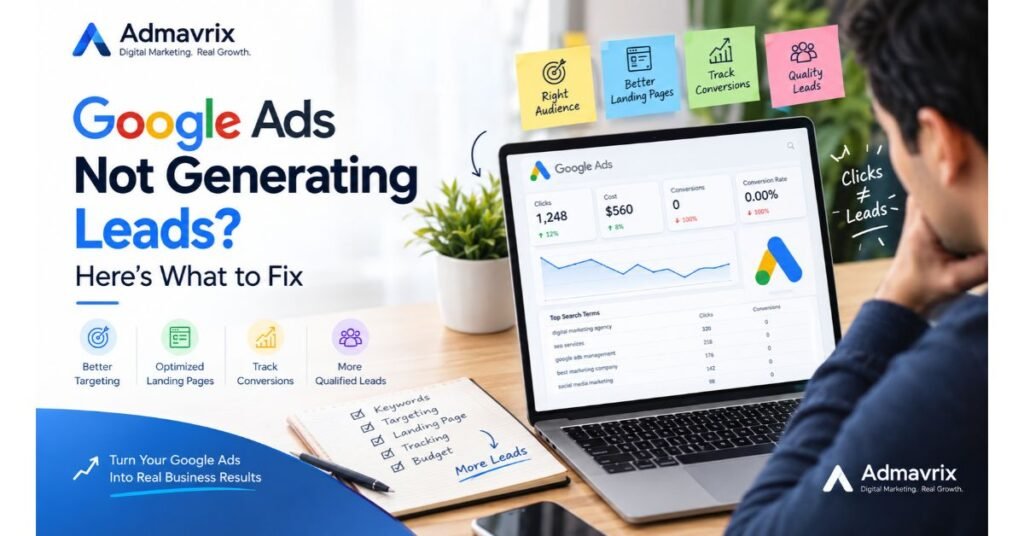
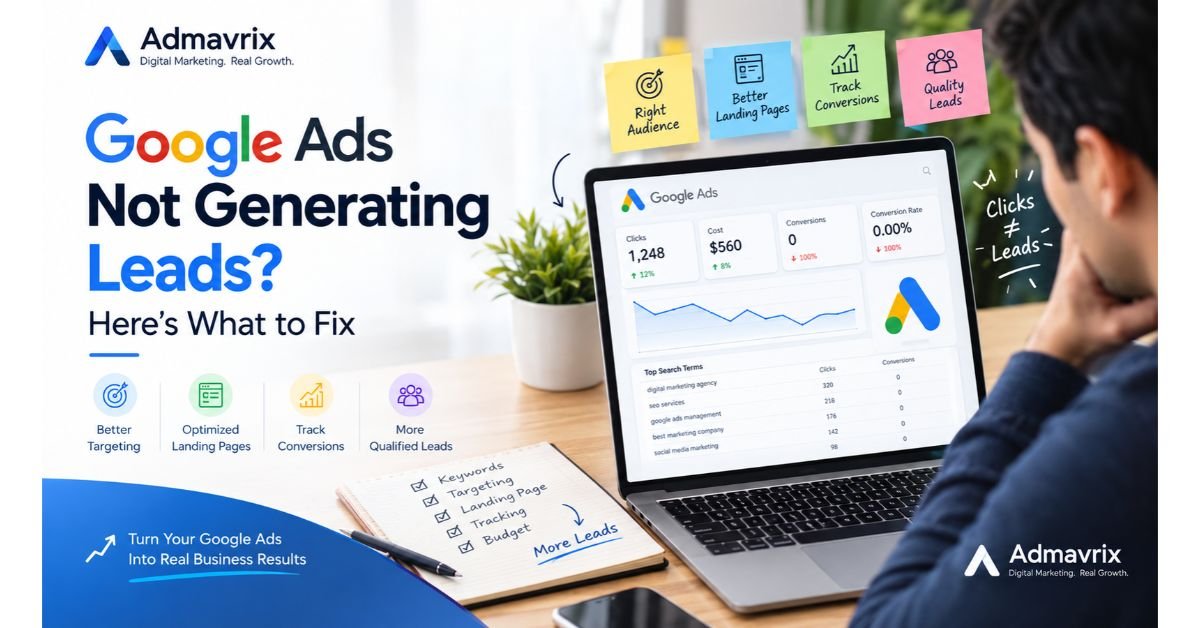
Your Ads Are Getting Clicks, but Where Are the Customers?
You launched a Google Ads campaign, selected your keywords, set a daily budget, and started receiving clicks. But the phone is not ringing, enquiry forms are empty, and your sales team has no new leads.
Sound familiar?
For many businesses, the problem is not simply that Google Ads does not work. The real issue may be the wrong audience, irrelevant search terms, a weak landing page, poor conversion tracking, or a mismatch between what the advertisement promises and what the website delivers.
The good news is that you do not always need a bigger advertising budget. You need to understand where potential customers are dropping off and make the right improvements.
In this guide, we will explain why Google Ads may not be generating leads and share 12 practical ways to improve campaign performance in 2026.
Introduction
Google Ads helps businesses reach people who are actively searching for products or services. When campaigns are planned and managed correctly, they can generate enquiries, phone calls, appointments, and sales.
However, running advertisements does not automatically guarantee business results.
A campaign may receive hundreds of clicks without generating a single qualified enquiry. Another campaign may receive fewer clicks but attract customers who are ready to buy.
The difference often comes down to campaign strategy, keyword selection, audience intent, landing page experience, and conversion tracking.
For small businesses, especially those working with limited advertising budgets, every click matters. Understanding what is preventing conversions can help reduce wasted spending and improve return on advertising investment.
Let’s explore the common causes and the practical solutions.
What Does “Google Ads Not Generating Leads” Mean?
The phrase Google Ads not generating leads describes a situation in which a business runs Google Ads campaigns but receives few or no meaningful enquiries from potential customers.
A lead could be:
- A customer submitting an enquiry form.
- Someone calling your business after seeing an advertisement.
- A potential customer requesting a quotation.
- A person booking an appointment or consultation.
- A prospective buyer starting a relevant sales conversation.
It is important to distinguish between clicks and leads.
A click means someone visited your website through an advertisement. A lead means someone completed a meaningful action that indicates interest in your product or service.
The goal is not simply to get more clicks. It is to attract the right people and turn their interest into enquiries.
Key Points: Why Google Ads May Not Be Generating Leads
Before changing your campaign, understand these common problems.
- Your keywords attract people who are researching rather than buying.
- Your ads reach people outside your service area.
- Your advertisement does not communicate a clear benefit.
- Your landing page does not encourage visitors to take action.
- Your website loads slowly or works poorly on mobile devices.
- Your conversion tracking is missing or incorrectly configured.
- Your budget is spread across too many campaigns or keywords.
- Your negative keyword list is incomplete.
- Your bidding strategy does not match your campaign goals.
- Your offer does not give customers a strong reason to enquire.
- Your sales team responds too slowly to incoming leads.
- You are optimizing for clicks instead of meaningful business outcomes.
These issues can occur individually or together. The best approach is to identify the actual problem before making major campaign changes.
Visual Introduction: Understand Your Google Ads Funnel
A Google Ads campaign usually follows this journey:
Search → Ad Click → Landing Page → Enquiry → Qualified Lead → Customer
Each stage represents a potential problem.
| Funnel stage | Possible issue | What to check |
|---|---|---|
| Search | Irrelevant searches | Search terms report |
| Ad click | Low engagement | Ad relevance and messaging |
| Landing page | Visitors leave without enquiring | Content, speed, and CTA |
| Enquiry | Form submissions fail | Forms, phone links, and tracking |
| Qualified lead | Poor lead quality | Targeting and customer intent |
| Customer | Leads do not convert into sales | Follow-up and sales process |
For example, if your ads receive clicks but visitors leave without submitting an enquiry, increasing the advertising budget may not solve the problem.
You first need to investigate the landing page and the relevance of the traffic.
Features of a Well-Optimized Google Ads Campaign
A well-managed campaign combines several important elements.
1. Relevant Keywords
Your keywords should match what potential customers search for when they need your product or service.
2. Clear Ad Copy
Your headline and description should explain what you offer, who it helps, and why someone should choose your business.
3. Appropriate Targeting
Location, language, audience settings, and campaign schedules should reflect your actual customers and business requirements.
4. A Conversion-Focused Landing Page
Visitors should quickly understand your offer and know what to do next.
5. Accurate Conversion Tracking
Your tracking setup should measure valuable actions such as qualified form submissions, calls, and completed bookings.
6. Continuous Optimization
Campaign performance should be reviewed regularly using search terms, conversion data, lead quality, and actual business outcomes.
These elements work together. Improving only one element may not be enough if other parts of the campaign are underperforming.
Benefits of Fixing an Underperforming Google Ads Campaign
Improving your campaign can help your business:
- Reduce spending on irrelevant clicks.
- Attract people who are more likely to become customers.
- Improve the quality of incoming enquiries.
- Identify which keywords and advertisements produce results.
- Improve the experience visitors have on your website.
- Make better use of a limited marketing budget.
- Understand the relationship between advertising costs and business revenue.
However, results depend on your industry, competition, offer, budget, website, and sales process. Campaign optimization improves decision-making, but it cannot guarantee a particular number of leads.
Quick Insights Table: Google Ads Problems and Solutions
| Problem | Possible reason | Recommended action |
|---|---|---|
| Clicks but no leads | Landing page or offer problem | Review the page and CTA |
| Irrelevant enquiries | Poor keyword or location targeting | Check search terms and location settings |
| High cost per lead | Expensive clicks or weak conversion rate | Analyze cost and conversion performance |
| Low click-through rate | Ads do not match search intent | Improve headlines and relevance |
| Many mobile clicks, few leads | Poor mobile experience | Test forms, page speed, and phone links |
| No recorded conversions | Tracking problem or no conversions | Test tracking and inspect the user journey |
| Leads but no sales | Poor lead quality or follow-up | Review lead qualification and response time |
Important: These are possible explanations, not automatic diagnoses. Use campaign data to identify the cause before making changes.
Small Case Study: How Better Targeting Can Improve Lead Generation
Consider a hypothetical digital marketing agency running Google Ads to attract small-business clients.
The agency receives website visits but very few enquiries.
After reviewing its campaign, the team discovers that several search terms relate to free courses, jobs, and digital marketing salaries rather than businesses looking for agency services.
The team then takes the following actions:
- Reviews the search terms report.
- Adds relevant negative keywords.
- Refines location targeting.
- Improves the ad message to focus on business enquiries.
- Makes the landing page CTA clearer.
- Tests the enquiry form and conversion tracking.
The campaign is then monitored to determine whether the changes improve lead quality and conversion performance.
The lesson is simple: more traffic does not necessarily mean more customers. Relevant traffic and a clear conversion path matter.
This is an illustrative example, not a report of actual Admavrix campaign results.
12 Ways to Fix Google Ads Not Generating Leads
1. Check Your Search Terms Report
One of the first steps is to understand the searches that trigger your advertisements.
Google Ads provides a search terms report that shows the actual queries associated with your ads.
For example, a company offering paid digital marketing services may want to attract business owners looking for an agency. Searches for free training, jobs, or salary information may be less relevant to that goal.
What to do:
- Open your Google Ads account.
- Select the relevant Search campaign.
- Open the search terms report under Insights and reports or the campaign’s reporting options.
- Review the queries that generated clicks.
- Identify irrelevant searches.
- Add appropriate negative keywords where necessary.
Do not automatically exclude every unexpected search. Consider whether the query could still lead to a valuable customer.
2. Choose Keywords Based on Customer Intent
Not every keyword represents the same level of buying intent.
Someone searching for “what is SEO” may be learning about the subject. Someone searching for “SEO agency for small business” may be actively looking for a service provider.
Both queries can have value, but they serve different goals.
For lead-generation campaigns, prioritize keywords that reflect a genuine need for your service.
Examples include:
- Digital marketing agency for small businesses
- Google Ads management services
- Local SEO services
- Website lead generation services
- PPC campaign management
The best keywords depend on your services, customer profile, competition, and budget.
3. Improve Your Ad Headlines and Descriptions
Your advertisement should clearly match the searcher’s need.
Avoid vague messages that do not explain what the business offers.
For example:
Weak message: Best Digital Marketing Company. Contact Us Today.
More specific message: Digital Marketing Services for Small Businesses. Explore SEO, Paid Ads and Lead Generation Support.
The second message communicates the service more clearly, although its performance still needs to be tested.
Include relevant benefits and a clear next step. Make sure all claims are accurate and that the landing page delivers what the advertisement promises.
4. Refine Location Targeting
Location targeting is especially important for businesses serving specific cities or regions.
A local service provider may receive irrelevant enquiries if its campaign reaches people outside its service area.
Check:
- The locations selected for your campaign.
- Whether the location setting matches your business objective.
- The geographic locations associated with clicks and conversions.
- Whether you actually serve the locations receiving traffic.
Google Ads location settings can distinguish between people physically present in a location and people showing interest in it, depending on the selected targeting options.
For a local business, review these settings carefully and choose the option that best matches your service requirements.
5. Improve Your Landing Page
Your landing page is where advertising interest must turn into action.
If visitors click an advertisement and cannot quickly understand the offer, they may leave without enquiring.
A good landing page should contain:
- A headline matching the advertisement.
- A clear explanation of the service.
- Benefits relevant to the target audience.
- Trust signals, such as genuine testimonials or credentials.
- A visible call-to-action button.
- A simple enquiry form or contact option.
- A mobile-friendly layout.
Avoid sending every advertisement to the homepage when a dedicated service page would better match the searcher’s intent.
For example, an advertisement for SEO services should ideally direct visitors to a relevant SEO service page.
6. Test Your Website on Mobile Devices
Many potential customers browse websites using smartphones.
If a page takes too long to load, displays poorly, or has a difficult enquiry form, visitors may leave before contacting you.
Test your website on an actual mobile device.
Check whether:
- The page loads correctly.
- The headline is easy to read.
- Buttons are easy to tap.
- The enquiry form works.
- Phone numbers and contact links function correctly.
- Important information appears without excessive scrolling.
You can also use Google’s PageSpeed Insights to identify potential performance improvements.
7. Verify Conversion Tracking
Conversion tracking helps you understand which campaigns generate valuable actions.
Without reliable tracking, you may see clicks and costs but struggle to determine whether your advertisements are producing leads.
Depending on your business, track actions such as:
- Successful enquiry form submissions.
- Calls that meet your business’s definition of a valuable lead.
- Completed bookings.
- Purchases or qualified sales opportunities.
Use Google Ads conversion tracking or a properly configured Google Analytics 4 integration where appropriate.
Do not count every button click as a successful lead. A click on a contact button is not necessarily the same as a completed enquiry.
Test your tracking setup and ensure that important conversions are recorded correctly and not counted multiple times.
8. Review Your Budget and Bidding Strategy
A small budget can limit how much data a campaign collects, particularly in a competitive market. However, increasing the budget is not always the right solution.
First, investigate whether your campaign is receiving relevant traffic and whether the website can convert visitors.
Review:
- Daily budget and campaign spending.
- Average cost per click.
- Search impression share, where relevant.
- Conversion volume and cost per conversion.
- Bidding strategy and its available conversion data.
If the campaign is spending money on irrelevant searches or sending visitors to a weak landing page, a higher budget may simply increase waste.
Make budget and bidding changes based on the campaign’s objective and available evidence.
9. Use Negative Keywords Carefully
Negative keywords help prevent ads from showing for certain irrelevant searches.
For example, a business selling professional services might exclude searches related to jobs or free training if those searches are not relevant to its offer.
However, negative keywords require care. A term that appears irrelevant at first may still be valuable for some businesses.
Review search intent before excluding a term, and check for conflicts between negative keywords and the searches you want to attract.
10. Strengthen Your Offer and Call to Action
Sometimes visitors understand your service but do not have a strong reason to take the next step.
Your offer should explain what happens when someone contacts your business.
Possible calls to action include:
- Request a Quote
- Book a Consultation
- Get a Website Audit
- Discuss Your Marketing Goals
- Request a Service Estimate
Choose a CTA that matches the actual service you provide.
Make the next step clear, keep the enquiry process simple, and avoid promises you cannot fulfil.
11. Check Lead Quality and Follow-Up
Google Ads performance does not end when someone submits a form.
If leads are irrelevant, cannot be contacted, or never become customers, review what happens after the enquiry.
Ask these questions:
- Does the lead match your target customer?
- Is the contact information valid?
- How quickly does your team respond?
- Does the sales team follow up consistently?
- Which campaigns produce qualified leads rather than just form submissions?
Where appropriate, import qualified lead or offline conversion data into Google Ads so bidding and reporting can reflect meaningful business outcomes.
Follow applicable privacy requirements and obtain the necessary permissions for data use.
12. Test One Improvement at a Time
Changing every campaign setting at once makes it difficult to identify which change helped.
Instead, prioritize the most likely problem and make a controlled improvement.
For example, if your search terms report contains many irrelevant queries, address keyword relevance first. If the traffic is relevant but the form is broken, fix the form before changing your bidding strategy.
Record the change, the date, and the performance before and after it.
Allow enough time and data for a meaningful assessment. Avoid declaring a winner based on a few clicks or a very small number of conversions.
Deep Explanation: Why Clicks Do Not Automatically Become Leads
Google Ads connects advertisers with people searching for products, services, and information. But a successful lead-generation campaign depends on more than the advertisement itself.
Consider three important factors.
Search Intent
The searcher’s goal influences whether they are likely to enquire.
Someone researching a problem may not be ready to buy. Someone searching for a service provider may be closer to making a decision.
Keyword selection and ad messaging should reflect the intent you want to attract.
Landing Page Relevance
The page should fulfil the promise made in the advertisement.
If the ad offers a consultation but the landing page only displays general company information, visitors may not know what to do next.
Keep the message consistent from search result to landing page.
Conversion Friction
Every unnecessary step can make it harder for a visitor to contact you.
Long forms, unclear pricing information, broken buttons, and confusing layouts can discourage enquiries.
Simplify the journey wherever possible without removing information that customers genuinely need.
The objective is to make it easy for the right customer to understand your offer and take the next step.
Real-World Example: A Local Service Business
Imagine a home cleaning company that wants to generate bookings through Google Ads.
The company receives many clicks but few enquiries.
Its initial campaign uses broad keywords, targets a large geographic area, and sends all visitors to a generic homepage.
After investigating the campaign, the business identifies three opportunities:
Problem 1: Irrelevant searches
Some visitors are looking for cleaning jobs rather than cleaning services.
Action: Review search terms and add suitable negative keywords.
Problem 2: Poor geographic relevance
Some clicks come from areas the company does not serve.
Action: Refine location targeting to reflect the actual service area.
Problem 3: Unclear next step
The homepage does not make it easy to request a cleaning quote.
Action: Create a relevant service landing page with a clear quotation form and service-area information.
The business then measures completed enquiries, lead quality, and booking outcomes to assess whether the changes are effective.
The same approach can be adapted to clinics, agencies, home service providers, training businesses, and other service-based companies.
Trends in Google Ads Lead Generation for 2026
1. More Automation, Better Inputs
Google Ads increasingly uses automated bidding and AI-powered campaign features. These tools can help optimize campaigns, but their effectiveness depends on the quality of conversion signals, targeting inputs, creative assets, and business goals.
2. First-Party Conversion Data
Accurate data about enquiries, qualified leads, and sales can help businesses understand which campaigns produce meaningful results.
Where appropriate, enhanced conversions for leads and offline conversion imports can connect advertising activity with later business outcomes.
3. Better Landing Page Experiences
Fast, relevant, mobile-friendly pages remain important because visitors need a clear and trustworthy path from advertisement to enquiry.
4. Lead Quality Over Lead Volume
A campaign that generates many low-quality leads may be less valuable than one that generates fewer, more relevant enquiries.
Businesses should evaluate cost per qualified lead and customer acquisition cost where sufficient data is available.
5. More Attention to the Complete Customer Journey
Advertisers are increasingly looking beyond the initial click to understand how enquiries progress into appointments, sales, and repeat business.
The practical takeaway is to use automation where appropriate while continuing to review targeting, conversion quality, and actual business results.
Common Google Ads Mistakes to Avoid
Avoid these mistakes when managing lead-generation campaigns:
- Increasing the budget before identifying the problem.
- Choosing keywords only because they have high search volume.
- Ignoring the search terms report.
- Sending all visitors to the homepage.
- Using vague ad headlines and calls to action.
- Failing to test enquiry forms on mobile.
- Assuming that clicks automatically represent conversions.
- Making frequent changes without allowing enough data to accumulate.
- Ignoring lead quality and sales follow-up.
- Using misleading claims or promising guaranteed results.
- Measuring success only by impressions and clicks.
- Making multiple major changes simultaneously without a clear testing plan.
Avoiding these mistakes gives you a more reliable basis for improving campaign performance.
Pro Tips for Better Google Ads Performance
Tip 1: Start with the biggest problem. Determine whether the issue is traffic relevance, the landing page, tracking, or lead follow-up before making changes.
Tip 2: Separate campaign goals. If campaigns target different services or locations, structure them so you can assess their performance meaningfully.
Tip 3: Review search terms regularly. Search behaviour changes, so keyword relevance needs ongoing attention.
Tip 4: Measure meaningful conversions. Track completed enquiries and qualified leads rather than relying exclusively on button clicks.
Tip 5: Use landing pages that match the ad. The closer the match between the customer’s search and the page content, the easier it is for visitors to understand the offer.
Tip 6: Keep a change log. Record significant changes to budgets, keywords, targeting, landing pages, and bidding strategies.
Tip 7: Connect marketing data with sales outcomes. Where feasible, identify which campaigns generate actual customers, not just enquiries.
Tip 8: Be patient with optimization. Allow sufficient time and data to evaluate changes, taking into account conversion delays and campaign volume.
Step-by-Step Guide: How to Audit a Google Ads Campaign
Use this practical checklist when reviewing an underperforming campaign.
Step 1: Define the Goal
Decide what counts as a successful result. For example, a completed quotation request or a qualified phone enquiry.
Step 2: Choose a Relevant Date Range
Review a period that provides enough information for your campaign. Compare it with an earlier period when useful, while accounting for seasonal changes and conversion delays.
Step 3: Check Campaign Spending
Review the daily budget, total spend, and whether the campaign is limited by budget.
Step 4: Review Search Terms
Identify irrelevant searches, possible negative keywords, and opportunities to improve keyword targeting.
Step 5: Check Locations and Devices
Confirm that ads are reaching the right service areas and inspect performance across mobile, desktop, and other relevant devices.
Step 6: Review Ad Performance
Look at impressions, clicks, click-through rate, cost per click, and the relevance of the ad message.
Step 7: Test the Landing Page
Open the page on mobile and desktop. Check speed, relevance, forms, phone links, and calls to action.
Step 8: Verify Conversion Tracking
Submit a test enquiry where appropriate and verify that the conversion is recorded correctly. Check for missing or duplicated conversion events.
Step 9: Review Lead Quality
Compare enquiries with your business’s target customer profile and identify which campaigns lead to genuine opportunities.
Step 10: Prioritize and Implement Changes
Fix the most important issues first. Avoid changing every setting simultaneously.
Step 11: Monitor the Results
Track conversions, cost per lead, qualified lead rate, and sales outcomes over a suitable period.
Step 12: Document Your Findings
Record the problem, the action taken, and the outcome. This will help you make better decisions in future campaigns.
Quick Campaign Audit Checklist
- Campaign goal is clearly defined.
- Search terms are relevant to the service.
- Negative keywords are reviewed.
- Location targeting matches the service area.
- Ads communicate a clear benefit.
- Landing page matches the advertisement.
- Mobile forms and contact links work.
- Conversion tracking is tested.
- Lead quality is monitored.
- Spending is evaluated against meaningful business outcomes.
Expert Takeaway
“Successful Google Ads management is not about buying more clicks. It is about connecting the right search intent with a relevant offer, a clear landing page, and reliable conversion measurement.”
— Admavrix Editorial Team
This is an original editorial takeaway, not a quotation attributed to an external industry expert.
Conclusion
If your Google Ads campaigns are spending money without generating leads, avoid making changes blindly or immediately increasing your budget.
Start by understanding the searches that trigger your advertisements. Review keyword intent, location targeting, ad messaging, landing page experience, conversion tracking, and lead quality.
Fix the most important issues first, measure the results, and continue improving based on evidence.
Google Ads can be a useful channel for business growth, but sustainable performance depends on attracting relevant prospects and giving them a clear path to becoming customers.
The goal is not simply to spend less or receive more clicks. It is to make your advertising budget work towards meaningful business outcomes.
Need Help Improving Your Google Ads Campaigns?
At Admavrix, we help businesses strengthen their digital marketing through SEO, paid advertising, website optimization, and lead-generation strategies.
If your Google Ads campaign is getting clicks but not enough qualified enquiries, a structured campaign review can help identify where improvements may be needed.
Visit https://www.admavrix.com/ to explore our services and discuss your digital marketing goals.
Admavrix — Turning Digital Marketing into Meaningful Business Growth.
Frequently Asked Questions (FAQs)

1. Why are my Google Ads not generating leads?
Your campaign may be attracting irrelevant searches, targeting the wrong audience, using ineffective ad messaging, sending visitors to a weak landing page, or failing to track conversions correctly. Review these areas before making major changes.
2. Why am I getting clicks but no conversions in Google Ads?
Clicks show that people visited your website, but they do not guarantee that visitors will enquire. The page may not match their expectations, the offer may be unclear, or the enquiry process may be difficult. Tracking problems can also make conversions appear lower than they are.
3. How long does Google Ads take to generate leads?
There is no universal timeframe. Some campaigns can generate enquiries soon after launch, while others need testing and optimization. Results depend on competition, budget, customer demand, conversion tracking, and the quality of the offer and website.
4. Should I increase my Google Ads budget if I am not getting leads?
Not necessarily. First determine whether your campaign attracts relevant traffic and whether visitors can successfully enquire. Increasing the budget before fixing these issues can increase wasted spending.
5. What is a good cost per lead in Google Ads?
A good cost per lead depends on your industry, profit margins, customer lifetime value, sales conversion rate, and lead quality. Calculate how much your business can reasonably afford to pay for a qualified lead rather than relying on a universal benchmark.
6. How can I improve lead quality in Google Ads?
Use relevant keywords, refine geographic targeting, communicate your offer clearly, and send visitors to a suitable landing page. Track qualified leads and sales outcomes so you can distinguish valuable enquiries from irrelevant submissions.
7. Do I need a landing page for Google Ads?
A dedicated landing page is not required for every campaign, but it can be beneficial when it closely matches the advertisement and makes the desired action clear. A relevant, well-designed service page may also work effectively.
8. Why are my Google Ads conversions not showing?
Possible causes include incorrect conversion setup, missing tags, consent-related limitations, reporting delays, or conversions not meeting the configured rules. Test the setup and review diagnostics before concluding that the campaign is not generating leads.
9. Which Google Ads bidding strategy is best for lead generation?
The right strategy depends on your campaign objective, available conversion data, and business requirements. Conversion-focused automated bidding may be appropriate when reliable conversion tracking and sufficient data are available. Choose based on your situation rather than assuming one strategy works for every account.
10. Can small businesses generate leads with Google Ads?
Yes. Small businesses can use Google Ads to reach relevant prospects, but results depend on demand, competition, budget, targeting, offer quality, and the ability to convert and follow up on enquiries. Start with a clear objective and monitor performance carefully.
Future Outlook: Smarter Google Ads Campaigns
As advertising platforms continue to expand automation and AI-powered features, businesses will need to provide clearer goals and more reliable conversion data.
The most effective approach is likely to combine automation with human judgment: understand customer intent, build useful landing pages, monitor lead quality, and connect advertising performance to real business outcomes.
Businesses that continually test improvements and learn from reliable data will be better positioned to make informed marketing decisions.
For 2026 and beyond, focus on three priorities: relevant traffic, measurable conversions, and qualified leads.