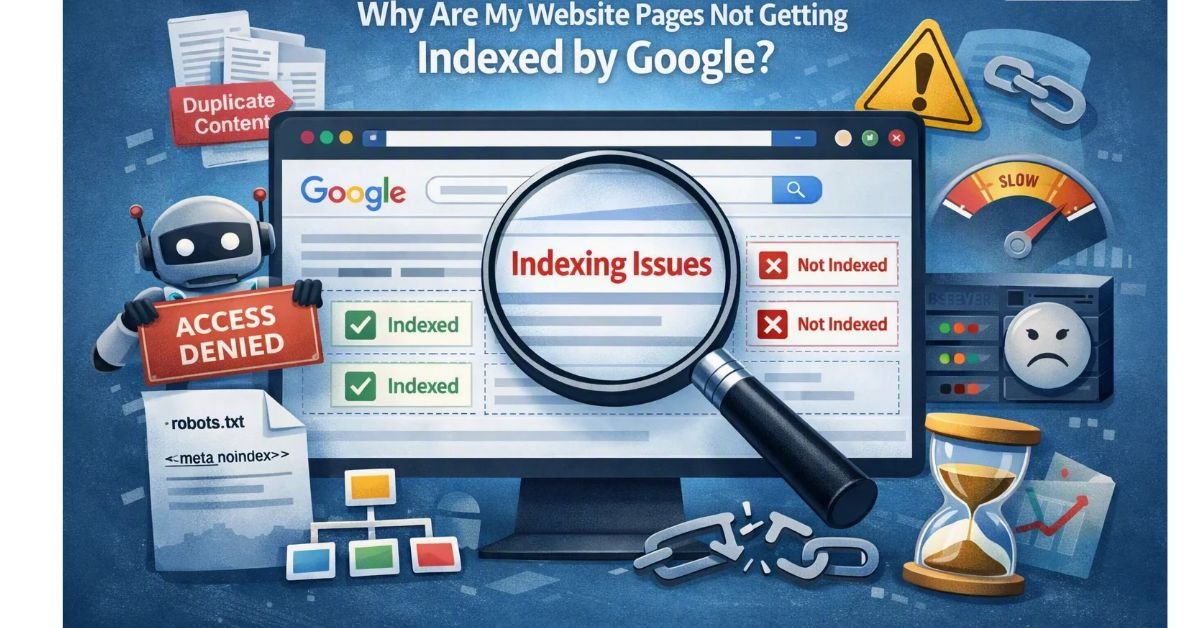
You publish a new blog, optimize the SEO title, add keywords, and wait for visitors. But days later, your article still does not appear in Google Search.
You check the URL, search for the title, and even submit the page through Google Search Console. Nothing seems to change.
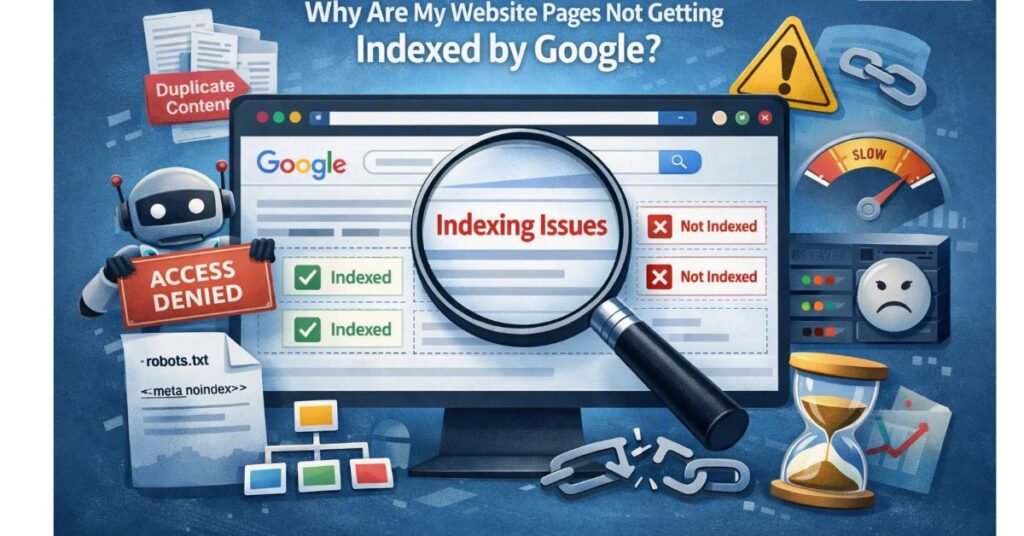
Why are your website pages not getting indexed by Google, even when your content is published correctly?
The problem could be a technical error, a crawling restriction, duplicate content, weak internal linking, or content that Google does not consider useful enough to include in its index.
The good news is that you can investigate these issues systematically instead of repeatedly publishing new articles or requesting indexing without understanding the cause.
In this guide, you will learn how Google indexing works, how to diagnose common indexing problems, and which practical steps can help Google discover and evaluate your website pages.
Introduction
Getting a website indexed by Google is an important step toward organic search visibility. If a page is not indexed, it generally cannot appear as a standard organic result for relevant searches.
However, publishing a page does not guarantee that Google will index it. Google must discover the URL, crawl the page, process its content, and decide whether it should be included in its search index.
Website indexing problems can affect new blogs, WordPress websites, service pages, e-commerce product pages, and even established websites after technical changes.
For businesses investing time in SEO content, these problems can delay visibility and make it harder to attract potential customers.
The solution starts with identifying the exact reason a page is missing from Google’s index.
What Does It Mean When a Website Page Is Not Indexed by Google?
Google indexing is the process through which Google analyzes information collected from web pages and stores eligible content in its search index.
There are three important stages to understand:
- Crawling: Googlebot discovers and accesses a URL to retrieve its content.
- Indexing: Google processes the page, evaluates its content and other signals, and decides whether and how it should be represented in the index.
- Serving search results: Google selects relevant indexed pages when responding to a search query.
A page can be published successfully without being indexed. It can also be crawled without being included in the index.
This distinction matters because submitting a sitemap or requesting indexing does not automatically guarantee inclusion in Google Search.
Google explains the technical requirements and indexing process in its official Google Search technical requirements documentation.
Key Reasons Your Website Pages Are Not Getting Indexed by Google
The following issues are worth investigating when pages remain missing from search results.
- Google has not discovered the page.
- The page is blocked by robots.txt or another access restriction.
- A
noindexdirective prevents indexing. - The page returns an HTTP error instead of a successful response.
- Google identifies another URL as the canonical version.
- The page contains thin, repetitive, or insufficiently useful content.
- Important pages lack internal links.
- Your sitemap contains incorrect or non-canonical URLs.
- Your website experiences server errors or crawling problems.
- Google has crawled the page but has not selected it for indexing.
Not every missing page has a technical error. Some pages are accessible and technically eligible but still are not selected for indexing.
Visual Introduction: How Google Indexing Works
Use this simple process diagram in the article:
Website page published → Google discovers the URL → Googlebot crawls the page → Google processes the content → Google decides whether to index it → Eligible indexed pages may appear in relevant search results.
If the process stops at discovery or crawling, investigate access and technical issues. If Google has already crawled the page but has not indexed it, review content usefulness, duplication, canonical signals, and overall site structure.
Quick Insights Table
| Indexing issue | What it may indicate | Recommended action |
|---|---|---|
| URL unknown to Google | The page may not have been discovered | Add internal links and check the sitemap |
| Blocked by robots.txt | Googlebot cannot crawl the URL normally | Review robots.txt rules |
Excluded by noindex | A directive tells Google not to index the page | Remove it if indexing is intended |
| Page not found (404) | The URL does not return the expected page | Restore it or redirect where appropriate |
| Duplicate without user-selected canonical | Google identifies another version as canonical | Review duplicate URLs and canonical signals |
| Discovered – currently not indexed | Google knows the URL but has not indexed it | Check crawl patterns, content value, and site structure |
| Crawled – currently not indexed | Google crawled the URL but has not indexed it | Improve usefulness and investigate duplication |
| Server error (5xx) | The server may be failing to serve the page | Investigate hosting, server logs, and response status |
Search Console labels and classifications can change. Always inspect the current URL Inspection details and Page Indexing report before deciding which fix to apply.
10 Fixes for Website Pages Not Getting Indexed by Google
1. Check the URL in Google Search Console
Before changing your website, determine what Google knows about the affected URL.
Google Search Console provides a URL Inspection tool that shows information about Google’s indexed version of a page and, where available, the results of a live test.
How to check:
- Open Google Search Console.
- Select the correct website property.
- Copy the complete URL of the affected page.
- Paste it into the URL Inspection field.
- Review the indexing status and any reported issues.
- Run a live URL test when you need to check current accessibility and indexing eligibility.
Look for details such as whether the page is indexed, whether crawling is allowed, whether indexing is allowed, and which canonical URL Google selected.
Do not immediately rewrite the article or change its URL. First, understand the reported status.
Official resource: Google Search Console URL Inspection and recrawling guidance.
2. Make Sure Googlebot Is Allowed to Crawl the Page
A robots.txt file provides instructions about which URLs crawlers may access.
An overly restrictive rule can prevent Googlebot from crawling pages you actually want indexed.
For example, a rule like the following blocks crawling across the entire site:
User-agent: *Disallow: /
This is generally unsuitable for a public website that should be discoverable in search.
How to fix it:
- Visit
https://yourdomain.com/robots.txt. - Review the rules affecting your important URLs.
- Check the robots.txt report or URL Inspection information in Search Console where available.
- Remove unintended restrictions after confirming the correct configuration.
- Test the affected URL again.
Be careful: robots.txt controls crawling, not indexing directly. A URL blocked from crawling can sometimes still appear in search results without a descriptive snippet.
Also, do not use robots.txt as a substitute for a noindex directive.
3. Check for a Noindex Tag
A page may be publicly accessible but contain a directive that tells Google not to index it.
The following HTML directive prevents indexing when Google can crawl and process it:
<meta name="robots" content="noindex">
This setting can be useful for private or intentionally excluded pages, but it becomes a problem when accidentally applied to blog posts, landing pages, or service pages.
How to fix it in WordPress:
- Open the affected post or page.
- Review the SEO plugin’s advanced robots settings.
- Check whether the page is set to noindex.
- If the page should appear in Google, change the setting to index or the default indexable configuration.
- Save the page and inspect it again in Search Console.
Also review WordPress’s search engine visibility setting under Settings → Reading. Ensure that search engine discouragement has not been enabled unintentionally.
Remember that robots.txt blocking can prevent Google from seeing a noindex directive. The two settings must be checked separately.
Official resource: Google’s noindex documentation.
4. Fix HTTP Errors and Server Problems
Google needs to access a working page to process it for indexing.
A URL that returns a 404 error, a persistent server error, or an unintended redirect may not be indexed as expected.
Common problems include:
- Deleted blog posts that still have internal links.
- Incorrect permalink structures.
- Hosting downtime or server overload.
- Redirect loops.
- Pages returning a 5xx server response.
- URLs that redirect to unrelated content.
How to fix it:
Check the affected URL in Search Console and verify its response using an appropriate HTTP status checker or your hosting tools.
For a genuine missing page, either restore the original content or redirect it to a closely relevant replacement when one exists. Do not redirect every missing URL to the homepage.
For server errors, work with your hosting provider or developer to identify the cause, then retest the URL after the issue is resolved.
A working page normally needs to return an appropriate successful response, commonly HTTP 200, and provide indexable content.
5. Review Canonical URLs and Duplicate Content
Canonicalization helps Google determine which URL represents the primary version of duplicate or very similar content.
For example, a website may expose variations of the same page through different URLs:
- HTTP and HTTPS versions.
- www and non-www versions.
- URLs with tracking parameters.
- Different URLs that display substantially the same content.
If your page declares an incorrect canonical URL, Google may select another page for indexing.
How to fix it:
- Inspect the affected URL in Google Search Console.
- Compare the user-declared canonical with Google’s selected canonical.
- Confirm which URL should represent the content.
- Correct the canonical tag if it points to the wrong page.
- Use consistent internal links and include preferred canonical URLs in the sitemap.
A canonical tag is a signal, not an absolute command. Google can choose a different canonical when other signals suggest that another URL is more appropriate.
Official resource: Google’s canonicalization documentation.
6. Improve Content That Is Too Thin or Repetitive
Not every indexing issue comes from technical SEO.
A page may be accessible, crawlable, and indexable but still not be selected for Google’s index.
This can happen when content offers little additional value, repeats existing pages, or provides a superficial answer to the user’s question.
For example, imagine publishing ten articles with nearly identical content, changing only the target keyword or location name. Each page may struggle to provide a distinct reason for users to visit it.
How to improve the content:
- Answer the main search query clearly.
- Include accurate, specific explanations.
- Add original examples, screenshots, research, or first-hand experience where possible.
- Remove repetitive paragraphs that do not help the reader.
- Consolidate overlapping pages when they serve the same search intent.
- Cite reliable primary sources for technical claims.
Do not add unnecessary words simply to increase the article length. A useful 1,000-word guide can be more valuable than a repetitive 2,500-word article.
Google’s guidance on creating helpful, reliable, people-first content emphasizes satisfying readers rather than producing content primarily to manipulate search rankings.
7. Add Relevant Internal Links
Google can discover URLs through links between pages.
If a newly published article is not linked from any other page on your website, it may be harder for crawlers and users to discover.
This is sometimes described as an orphan page.
How to improve internal linking:
- Identify existing articles related to the new page.
- Add contextual links from relevant paragraphs.
- Use descriptive anchor text that explains what readers will find.
- Link to important category pages where appropriate.
- Check that the destination page is accessible and returns the expected response.
For example, a blog about website indexing could link naturally to an existing guide about keyword research, technical SEO, or Google Search Console.
Avoid adding unrelated links simply to increase the number of internal links. Relevance and usefulness matter more than quantity.
8. Submit a Clean XML Sitemap
An XML sitemap helps search engines discover URLs you want considered for indexing.
For a WordPress website, your SEO plugin or CMS may generate a sitemap automatically.
How to check it:
- Open your sitemap URL, such as
https://yourdomain.com/sitemap_index.xml, if your setup uses that format. - Confirm that important canonical URLs are included.
- Check for accidental inclusion of redirected, deleted, or noindex pages.
- Open Google Search Console.
- Navigate to the Sitemaps report.
- Submit the correct sitemap URL and review its status.
A sitemap helps with URL discovery, but it does not guarantee that Google will crawl or index every submitted page.
Do not repeatedly resubmit an unchanged sitemap expecting faster indexing.
Official resource: Build and submit a sitemap.
9. Improve Site Structure and Crawlability
A clear website structure helps visitors and search engines understand how your pages relate to one another.
If important content is buried deep within the website, linked only through inaccessible navigation, or difficult to reach through standard links, discovery may become harder.
Recommended improvements:
- Organize related content into useful categories.
- Link important articles from relevant category or hub pages.
- Use standard HTML links that crawlers can follow.
- Keep navigation clear and consistent.
- Remove unnecessary URL variations and redirect chains.
- Check that important pages work on mobile devices.
Do not assume that a large number of pages automatically creates authority. A smaller, well-organized site with genuinely useful content can provide a better experience than a large collection of repetitive articles.
10. Request Indexing After Fixing the Problem
Once you have addressed the underlying issue, use Search Console to request a fresh crawl when appropriate.
Step-by-step process:
- Open Google Search Console.
- Enter the corrected URL into URL Inspection.
- Run a live test to check whether Google can access the page.
- Confirm that the page is not unintentionally blocked from indexing.
- Select Request Indexing if the option is available.
- Monitor the URL Inspection report and Page Indexing report for changes.
For larger groups of URLs, ensure the sitemap is accurate and submitted.
Do not repeatedly request indexing for the same unchanged page. Google has crawling priorities and quotas, and repeated requests do not guarantee faster inclusion.
Google notes that recrawling can take days to weeks, and requesting a crawl does not guarantee that the URL will be indexed.
Features of a Proper Website Indexing Audit
A useful indexing audit checks several areas rather than focusing only on the sitemap.
| Audit area | What to examine | Why it matters |
|---|---|---|
| URL discovery | Internal links and sitemap | Helps Google find important pages |
| Crawl access | robots.txt and server response | Determines whether Googlebot can retrieve content |
| Indexing directives | Meta robots and HTTP headers | Identifies intentional or accidental exclusions |
| Canonicalization | Declared and selected canonical URLs | Helps identify duplicate URL issues |
| Content quality | Originality, usefulness and search intent | Helps evaluate whether the page provides distinct value |
| Site architecture | Categories and contextual links | Improves discoverability and navigation |
| Monitoring | Search Console reports | Shows whether problems persist after fixes |
Benefits of Fixing Website Indexing Issues
Resolving indexing problems can help your SEO efforts in several ways.
Improved search visibility: Eligible pages can become available to appear for relevant Google searches once indexed.
Better use of content resources: You can identify existing pages that need attention rather than continually producing replacement articles.
Improved technical health: Fixing unintended blocks, broken URLs, and canonical errors creates a more consistent website structure.
Better user experience: Clear navigation and functioning links make it easier for visitors to find useful content.
More informed SEO decisions: Search Console data helps you distinguish between crawling problems, indexing exclusions, and pages that are indexed but receive few clicks.
Indexing alone does not guarantee rankings, traffic, leads, or sales. It is one part of a broader SEO strategy.
Small Case Study: A Hypothetical WordPress Blog
Consider a small business website that publishes a new article about improving local search visibility.
After several days, the article is still missing from Google Search.
The website owner initially assumes that the article needs more keywords and begins rewriting the introduction.
During an indexing audit, the owner discovers three issues:
- The article is not linked from any existing blog post.
- The sitemap includes an outdated URL after a permalink change.
- The article’s SEO settings need to be checked for unintended indexing restrictions.
The owner corrects the URL, adds relevant internal links, confirms that the page is indexable, and updates the sitemap.
The owner then requests indexing through Search Console and monitors the result.
Lesson: The correct fix comes from identifying the actual problem, not from automatically adding more keywords or rewriting every article.
This is an illustrative example, not a verified client result or a guarantee of indexing within a specific period.
Real-World Diagnostic Example: “Crawled – Currently Not Indexed”
Suppose Google Search Console reports that a page has been crawled but is currently not indexed.
This status means Google has accessed the page but has not included it in the index at that time.
Start by checking:
- Whether the page offers substantial value beyond similar pages.
- Whether another URL is a more appropriate canonical.
- Whether the page contains the main information clearly.
- Whether internal links make the page part of a coherent topic cluster.
- Whether the page is accessible and technically indexable.
Improve the page only where the evidence suggests an issue. Then monitor the status rather than assuming that every such URL needs a complete rewrite.
A page can remain unindexed for reasons that are not immediately obvious, and the status alone does not prove that the content is poor.
Common Mistakes to Avoid
Mistake 1: Repeatedly clicking Request Indexing
Submitting the same URL over and over does not guarantee faster crawling or indexing.
Better approach: Fix the cause, request indexing once when appropriate, and monitor the result.
Mistake 2: Blocking a page and expecting Google to read its noindex tag
If robots.txt prevents crawling, Google may not see the noindex directive on that page.
Better approach: Use the correct mechanism for your goal and ensure Google can crawl the page when it needs to process the directive.
Mistake 3: Publishing many similar blogs
Changing a few words in existing articles does not necessarily create meaningful new value.
Better approach: Give each article a distinct purpose and satisfy a real search need.
Mistake 4: Assuming a sitemap guarantees indexing
A sitemap helps Google discover URLs, but inclusion is not guaranteed.
Better approach: Combine a clean sitemap with accessible URLs, useful content, internal links, and proper indexing settings.
Mistake 5: Changing URLs without a redirect plan
Changing a published URL can create broken links and duplicate URL problems if handled incorrectly.
Better approach: Use appropriate redirects, update internal links, and maintain consistent canonical signals.
Mistake 6: Confusing indexing with ranking
An indexed article can still rank poorly or receive no meaningful organic traffic.
Better approach: Once indexed, work on search intent, content quality, title relevance, user experience, and the competitiveness of the query.
Pro Tips for Better Indexing
Tip 1: Prioritize important URLs. Focus on valuable articles, service pages, and category pages instead of treating every URL as equally important.
Tip 2: Use the Page Indexing report. Look for recurring patterns across affected URLs. Several pages with the same issue may indicate one site-wide configuration problem.
Tip 3: Check the rendered page. Confirm that important content is accessible to Google and is not hidden behind an implementation problem.
Tip 4: Keep canonical signals consistent. Your sitemap, internal links, redirects, and canonical tags should support the preferred URL.
Tip 5: Update content for a reason. Add useful information when facts change or the page is incomplete. Avoid making superficial edits solely to trigger another crawl.
Tip 6: Monitor indexing over time. Record the URL, reported status, date of correction, and subsequent inspection results so you can identify recurring issues.
Tip 7: Keep a clear site structure. Link related articles naturally and organize content into meaningful topic clusters.
Tip 8: Be patient after technical fixes. Google controls its crawling and indexing systems. No legitimate SEO technique can guarantee that every URL will be indexed immediately.
Expert Insight: What Google Recommends
Google Search Central explains that meeting its technical requirements makes a page eligible for indexing, but eligibility does not guarantee inclusion.
The practical takeaway is to separate two questions:
- Can Google access and process the page correctly?
- Does the page provide a useful reason to be included in search results?
Both questions matter. A technically perfect page can remain unindexed, while a useful article can be excluded because of an accidental technical restriction.
For reliable guidance, consult Google’s official documentation:
- Google Search technical requirements
- Creating helpful, reliable, people-first content
- Google’s crawling and indexing FAQ
These references provide Google’s own guidance rather than an unsupported promise about rankings or indexing timelines.
Step-by-Step Website Indexing Checklist
Use this checklist when auditing an affected URL.
- Confirm that the page is published and accessible.
- Inspect the URL in Google Search Console.
- Check whether Googlebot can crawl the page.
- Verify the page’s HTTP response.
- Check for unintended noindex directives.
- Review the user-declared and Google-selected canonical URLs.
- Confirm that the correct URL appears in the sitemap.
- Add relevant internal links from existing pages.
- Improve the content if it lacks useful, original information.
- Request indexing after fixing the problem, when appropriate.
- Monitor Search Console for subsequent changes.
This checklist can help you create a repeatable process instead of troubleshooting each article from scratch.
Frequently Asked Questions

1. Why are my website pages not getting indexed by Google?
Common reasons include crawling restrictions, noindex directives, server errors, incorrect canonical URLs, weak internal linking, duplicate content, and pages that Google has not selected for indexing.
Use Google Search Console to inspect the affected URL before choosing a fix.
2. How long does Google take to index a new website page?
There is no guaranteed timeframe. Google may discover and index a page relatively quickly, or the process may take days or weeks. Some URLs may never be indexed.
Submitting a sitemap or requesting indexing does not guarantee a specific date.
3. How can I check whether Google has indexed my page?
Use the URL Inspection tool in Google Search Console. It provides more reliable diagnostic information for a URL you manage than relying only on a manual search.
You can also search Google for a URL as a quick check, but search operators are not a complete indexing diagnostic.
4. Does submitting a sitemap guarantee indexing?
No. A sitemap helps Google discover URLs and understand which URLs you prefer to be considered canonical. It does not guarantee crawling, indexing, or rankings.
5. Can thin content prevent a page from being indexed?
Pages with little unique value or substantial duplication may not be selected for indexing. However, an unindexed page does not automatically mean the content is thin. Check technical issues, canonicalization, and content usefulness together.
6. Does requesting indexing improve rankings?
Requesting indexing asks Google to consider crawling a URL. It does not directly guarantee improved rankings, and it does not override Google’s indexing decisions.
7. Why does Google show “Discovered – Currently Not Indexed”?
Google knows about the URL but has not indexed it at the time of reporting. Check whether the page is useful, internally linked, technically accessible, and distinct from other pages on your site.
8. Why does Google show “Crawled – Currently Not Indexed”?
Google has crawled the page but has not included it in the index at that time. Review content usefulness, duplicate content, canonical selection, and broader site structure.
9. Can a noindex tag prevent Google from indexing a page?
Yes. When Google can crawl and process a page containing a valid noindex directive, it should exclude that page from its search index.
If indexing is intended, remove the unintended directive and allow Google to recrawl the page.
10. Should I delete pages that are not indexed?
Not automatically. Determine why each page is unindexed first. Improve useful pages, consolidate genuinely overlapping content, correct technical errors, and remove or redirect obsolete pages when appropriate.
11. Does WordPress automatically submit new pages to Google?
WordPress and SEO plugins can generate sitemaps and support discovery, but they do not guarantee indexing. You still need to ensure the website is accessible, correctly configured, and provides useful content.
12. Can a page be indexed without backlinks?
Yes. External backlinks are not an absolute requirement for indexing. Google can discover pages through internal links and sitemaps. However, backlinks and other signals may influence visibility and ranking in competitive search results.
Future Outlook: Website Indexing and SEO
Technical SEO will remain important as search engines continue to process websites, identify canonical pages, and evaluate which content is useful to users.
Website owners should focus on reliable site architecture, accessible content, consistent canonical signals, useful internal linking, and accurate Search Console monitoring.
AI-generated content does not remove the need for these fundamentals. Content should demonstrate genuine usefulness, accuracy, and appropriate expertise rather than simply being produced at scale.
For businesses publishing regularly, the most sustainable approach is to combine technical monitoring with editorial quality. Fixing indexing problems helps Google access and evaluate your content, while useful content gives people a reason to visit and engage with it.
Conclusion
If your website pages are not getting indexed by Google, do not assume that you need more keywords or more blog posts.
Start by inspecting the URL in Google Search Console. Check crawl access, indexing directives, HTTP responses, canonical URLs, sitemap accuracy, internal links, and content quality. Correct the underlying issue before requesting indexing again.
Remember that being crawlable, being indexed, and ranking well are three different things. A strong SEO strategy addresses each stage.
By using a consistent indexing checklist and monitoring results, you can identify problems earlier, improve your website’s technical health, and give useful content a better opportunity to appear in Google Search.
Need Help Improving Your Website’s SEO?
At Admavrix, we focus on helping businesses strengthen their digital presence through SEO, website optimization, content strategy, and digital marketing.
If your website pages are not getting indexed, your organic traffic is stagnant, or your technical SEO needs attention, a structured audit can help identify what needs to be improved.
Visit Admavrix.com or DM Admavrix to discuss your website’s SEO needs.