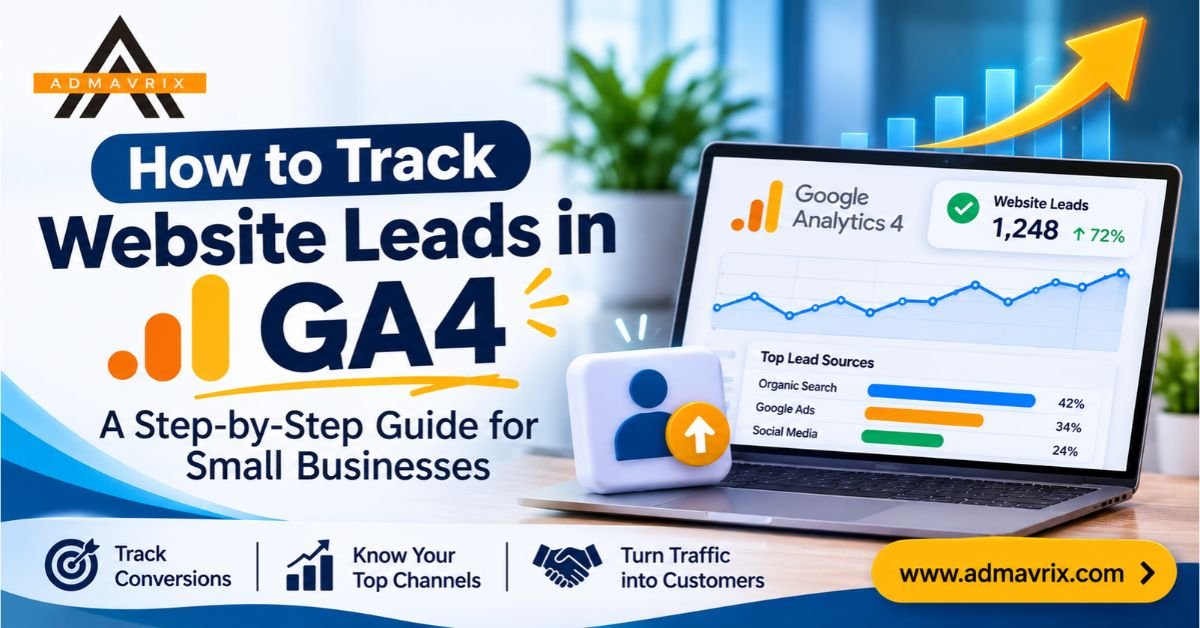
Your Website Gets Traffic, But Where Are Your Leads?
Imagine spending ₹15,000 every month on Google Ads, Meta Ads, SEO and website improvements. Your website receives thousands of visitors, but you still struggle to answer one important question:
How many visitors actually became potential customers?
Getting website traffic is only the first step. What matters is understanding how many visitors submit enquiry forms, click your WhatsApp button, request a consultation or contact your business.
Without proper tracking, you may continue investing in marketing channels that generate traffic but fail to bring genuine enquiries.
This is where Google Analytics 4 (GA4) becomes important.
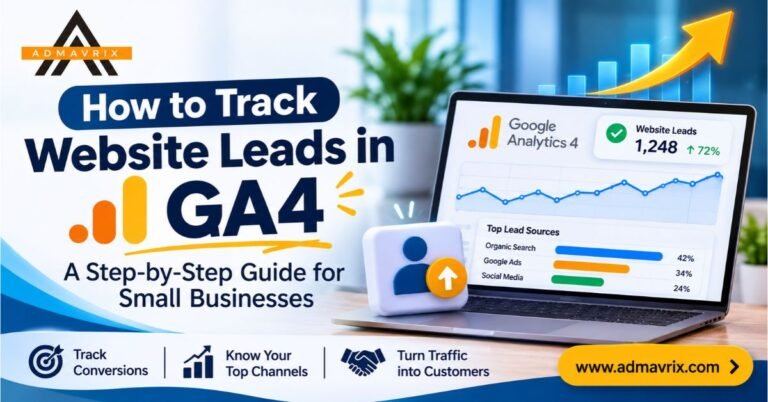
Learning how to track website leads in GA4 helps businesses measure user actions, understand customer behaviour, identify successful marketing channels and make better marketing decisions.
In this guide, we will explain how to set up GA4 lead tracking step by step, measure form submissions, track phone and WhatsApp clicks, monitor conversions and understand which marketing activities generate the most valuable leads.
Whether you run a small business, digital marketing agency, service-based company, startup or online store, this guide will help you turn website data into actionable business insights.
Introduction: Why Website Lead Tracking Matters in 2026
Digital marketing in 2026 is not just about increasing website visitors. Businesses need to understand what visitors do after landing on their websites.
A visitor might:
- Submit a contact form.
- Click a WhatsApp enquiry button.
- Call your business directly.
- Request a product demonstration.
- Download a brochure.
- Register for a course.
- Book a consultation.
- Complete a purchase.
These actions represent different opportunities for business growth.
However, standard website traffic reports do not automatically tell you how many meaningful enquiries your business receives.
Google Analytics 4 helps solve this problem through event tracking and key event measurement.
By configuring the right events, you can understand which campaigns, landing pages, traffic sources and user journeys contribute to lead generation.
For small businesses with limited marketing budgets, this information can make a significant difference.
Instead of asking, “How many people visited my website?” you can start asking, “Which marketing channel generated the most enquiries, and which leads became customers?”
That is the real value of GA4 lead tracking.
What Is GA4 Lead Tracking?
GA4 lead tracking is the process of measuring important actions visitors take on your website that indicate interest in your products or services.
Google Analytics 4 uses events to record user interactions.
For example, when someone successfully submits an enquiry form, GA4 can record an event called generate_lead.
When that event is marked as a key event, you can measure how frequently this important business action happens.
GA4 also supports recommended events for different stages of lead generation, including:
generate_lead– A new lead is generated.qualify_lead– A lead meets your qualification criteria.working_lead– A representative is actively working on the lead.close_convert_lead– A lead becomes a customer.disqualify_lead– A lead is identified as unsuitable.
These events help businesses understand more than just the number of form submissions. They can also measure how leads progress through the sales process.
GA4 Lead Tracking vs Traditional Website Analytics
| Traditional website tracking | GA4 lead tracking |
|---|---|
| Measures website visits | Measures meaningful interactions |
| Focuses on page views | Focuses on user actions |
| Shows traffic sources | Connects traffic sources with lead events |
| Provides basic engagement data | Helps analyse lead-generation journeys |
| Limited business outcome visibility | Supports lead and customer measurement |
Key takeaway: Website traffic tells you how many people visited. Lead tracking helps you understand how many took meaningful action.
Why Is GA4 Important for Small Businesses?
Small businesses often work with limited budgets. Every marketing investment needs to contribute towards measurable business objectives.
GA4 provides useful insights that can help businesses improve their digital marketing performance.
Identify Which Marketing Channel Generates Leads
Suppose visitors reach your website through:
- Google Organic Search
- Google Ads
- Facebook Ads
- Direct Traffic
- Referral Websites
GA4 helps you compare traffic sources and their contribution to key events.
This makes it easier to identify which channels deserve more attention.
Understand Visitor Behaviour
You can analyse which pages visitors explore before submitting an enquiry.
For example, visitors may first read a blog, visit your services page and then submit a contact form.
Understanding these journeys can help you improve website navigation and content.
Measure Landing Page Performance
Not every landing page generates the same results.
GA4 can help you compare landing pages based on traffic, engagement and lead-generation events.
Improve Marketing ROI
When you connect lead tracking with advertising costs and actual business outcomes, you can make better decisions about marketing investments.
Identify Conversion Problems
If a landing page receives significant traffic but generates very few enquiries, it may indicate problems with:
- Weak calls to action.
- Unclear service information.
- Poor mobile experience.
- Complicated enquiry forms.
- Slow page loading.
- Lack of trust signals.
GA4 helps you identify where further investigation is necessary.
Key Features of GA4 for Website Lead Tracking
Before setting up tracking, it is important to understand the features that make GA4 useful.
Event Tracking
GA4 records interactions as events. Businesses can measure actions such as form submissions, button clicks and other important website interactions.
Key Events
Key events represent the actions that matter most to your business.
For example, a successful enquiry form submission can be marked as a key event.
Realtime Reporting
The Realtime report helps you monitor activity as users interact with your website.
DebugView
DebugView helps verify whether your tracking events are being collected correctly during testing.
Traffic Acquisition Reports
These reports help you understand where website visitors originate and compare traffic acquisition channels.
Explorations
Explorations allow you to create more detailed reports and investigate visitor behaviour, event performance and conversion journeys.
Google Tag Manager Integration
Google Tag Manager helps you configure tracking tags and triggers without repeatedly editing website code.
Quick Insights: Important GA4 Events for Small Businesses
The following table provides a practical reference for setting up website lead tracking.
| Website Interaction | Suggested GA4 Event | Business Purpose |
|---|---|---|
| Successful enquiry form | generate_lead | Measure new leads |
| WhatsApp button click | whatsapp_click | Measure WhatsApp interest |
| Phone number click | phone_click | Measure call enquiries initiated |
| Email button click | email_click | Measure email contact interest |
| Brochure download | file_download | Measure content interest |
| Consultation booking | generate_lead | Measure booking enquiries |
| Qualified prospect | qualify_lead | Measure lead quality |
| Customer conversion | close_convert_lead | Measure converted leads |
Important: generate_lead, qualify_lead and close_convert_lead are Google-recommended lead-generation events. Names such as whatsapp_click and phone_click are illustrative custom event names, not automatically collected GA4 events.
A click on a phone number does not confirm that a call connected. Similarly, a WhatsApp click does not confirm that a message was sent. These actions should be measured separately from successful enquiries.
Step-by-Step Guide: How to Track Website Leads in GA4
Now let’s understand how to configure GA4 lead tracking for your business website.
Step 1: Create a Google Analytics 4 Property
The first step is to create a GA4 property for your website.
Follow these instructions:
- Visit Google Analytics.
- Sign in using your Google account.
- Open the Admin section.
- Select Create Property.
- Enter your business or website name.
- Select your reporting time zone and currency.
- Provide the required business information.
- Create a Web Data Stream.
- Enter your website URL and stream name.
- Save the configuration.
After creating the web data stream, GA4 provides a Measurement ID that starts with G-.
You will use this ID when connecting your website to Google Analytics.
Step 2: Install GA4 on Your Website
Your website needs the GA4 tracking tag to collect data.
There are different ways to install it.
Option 1: Google Tag Manager
Google Tag Manager is a useful option for businesses that want greater control over website tracking.
Basic process:
- Create a Google Tag Manager account.
- Set up a container for your website.
- Install the GTM container code on your website.
- Open your GTM workspace.
- Create a Google tag.
- Enter your GA4 Measurement ID.
- Set the trigger to All Pages.
- Save and publish your changes.
Option 2: Direct Google Tag Installation
You can also install the Google tag directly through your website’s code or a supported website integration.
For WordPress websites, compatible analytics plugins and integrations can simplify installation.
Pro tip: Avoid installing the same GA4 tracking code through multiple methods unless the setup is deliberately configured. Duplicate installation can result in inaccurate or duplicated data.
Step 3: Configure Important Website Events
Once GA4 is installed, you need to identify the actions that matter to your business.
For a small business website, consider tracking:
- Contact form submissions.
- WhatsApp button clicks.
- Phone number clicks.
- Email enquiries.
- Appointment bookings.
- Brochure downloads.
- Product enquiry requests.
Some events may be collected automatically or through Enhanced Measurement, depending on your configuration.
However, important business interactions often need additional configuration.
For example, a form submission should ideally be tracked only after the form is successfully submitted, not simply when a visitor clicks the submit button.
This distinction prevents failed submissions from being counted as genuine leads.
Step 4: Track Contact Form Submissions
Contact forms are one of the most important lead-generation elements on service-based websites.
Imagine someone visits your digital marketing services page and submits the enquiry form.
You want GA4 to record that successful action.
A practical implementation method is to use a dedicated thank-you page.
For example:
Website form:
www.example.com/contact-us/
After successful submission:
www.example.com/thank-you/
You can configure a GA4 event based on the thank-you page view.
Follow these steps:
- Open Google Analytics.
- Go to Admin.
- Navigate to Data Display → Events.
- Select Create Event.
- Enter an event name such as
generate_lead. - Choose
page_viewas the matching event. - Add a condition that matches the thank-you page URL.
- Enable the option to mark it as a key event, where available.
- Save the event.
Important: This method works when the website redirects users to the thank-you page only after successful submission. If visitors can access that page directly or refresh it, use a more robust form-success trigger or deduplication method.
For websites without thank-you pages, Google Tag Manager can track successful form submission events using the form platform’s supported success callback, data layer event or integration.
Step 5: Track WhatsApp Button Clicks
Many small businesses receive enquiries through WhatsApp rather than traditional contact forms.
If your website contains a WhatsApp button, tracking its clicks can provide useful information about visitor interest.
For example, a visitor opens your website, reads about your services and clicks the WhatsApp button to ask about pricing.
You can configure Google Tag Manager to capture this interaction.
Basic process:
- Open Google Tag Manager.
- Navigate to Variables.
- Enable relevant click variables.
- Create a new trigger.
- Choose Click – Just Links.
- Configure the trigger to identify your WhatsApp link.
- Create a GA4 Event tag.
- Enter the event name
whatsapp_click. - Add the event parameter
link_urlto capture the destination URL. - Connect the trigger to the event tag.
- Preview and test the configuration.
- Publish after successful testing.
You can use the collected event data to understand how often visitors initiate WhatsApp contact.
Remember that the event measures the click, not whether the visitor eventually sends a message.
Step 6: Track Phone Number Clicks
For businesses that depend on phone enquiries, tracking phone link clicks can provide additional insights.
Most websites use a clickable telephone link in this format:
tel:+911234567890
You can configure Google Tag Manager to identify clicks on links that begin with tel:.
Suggested configuration:
- Trigger type: Just Links.
- Condition: Click URL starts with
tel:. - GA4 Event Name:
phone_click. - Event Parameter:
link_url.
Once published, GA4 can collect these events.
This helps you measure visitors who initiate phone contact through your website.
However, a click does not confirm that the call was answered or completed. Call tracking systems or CRM integrations are needed to measure connected calls.
Step 7: Mark Lead Events as Key Events
In GA4, key events represent important business actions.
After configuring your lead event, you need to identify it as a key event.
Follow these steps:
- Open Google Analytics.
- Go to Admin.
- Select Data Display.
- Open Events.
- Find the
generate_leadevent. - Mark it as a key event using the available star or key event control.
You can now measure successful lead-generation actions in your GA4 reports.
Important: Marking an event as a key event does not create the event itself. You must configure and collect the event first.
Step 8: Test Your GA4 Lead Tracking Setup
Never assume that tracking is working simply because the tag has been installed.
Testing is an essential part of the process.
Use these tools:
Google Tag Manager Preview Mode
- Connect your website.
- Submit the contact form.
- Click WhatsApp and phone links.
- Check whether the correct triggers fire.
- Identify duplicate or unwanted triggers.
GA4 Realtime Report
- Open Reports.
- Select Realtime.
- Perform a test interaction on your website.
- Check whether the event appears.
GA4 DebugView
- Open the relevant Admin or data display tools.
- Select DebugView.
- Enable debug mode through an appropriate testing method.
- Perform test interactions.
- Verify that the expected events appear.
Only publish the final tracking configuration after confirming that the events work correctly.
Step 9: Analyse Your Lead Tracking Reports
Once GA4 starts collecting data, the next step is to analyse the results.
Pay attention to:
- Total users.
- Sessions.
- Traffic acquisition.
- Landing page performance.
- Event counts.
- Key event counts.
- User engagement.
- Lead-generation sources.
For example, if organic search brings 1,000 visitors and generates 35 leads, while social media brings 800 visitors and generates 8 leads, organic search may be producing stronger lead-generation performance.
However, evaluate lead quality, customer value and costs before deciding where to invest more.
Real Example: How a Small Business Can Use GA4 Lead Tracking
Let’s consider a hypothetical digital marketing agency that wants to generate more client enquiries through its website.
The agency receives traffic from Google Search, Instagram and paid advertising.
Before implementing GA4 lead tracking, it only monitors website visitors and page views.
After setting up tracking, it starts measuring:
- Contact form submissions.
- WhatsApp clicks.
- Phone number clicks.
- Consultation requests.
- Qualified leads.
- Converted customers.
Illustrative Monthly Performance
| Marketing Channel | Website Visitors | Leads | Lead Rate |
|---|---|---|---|
| Organic Search | 1,000 | 35 | 3.5% |
| Google Ads | 800 | 40 | 5.0% |
| 600 | 12 | 2.0% | |
| Direct Traffic | 400 | 18 | 4.5% |
| Total | 2,800 | 105 | 3.75% |
These figures are illustrative, not actual client results.
What Can the Business Learn?
Google Ads generates the highest number of leads.
The business can investigate campaign costs and lead quality to determine whether the channel is profitable.
Organic search delivers consistent enquiries.
This indicates that SEO content and service pages may be attracting potential customers.
Instagram generates traffic but fewer leads.
The agency should review its social media messaging, landing page experience and calls to action.
Direct traffic contributes meaningful enquiries.
This may indicate the value of brand awareness, returning visitors and offline recommendations.
The business can now make decisions based on measurable actions instead of assumptions.
How to Calculate Website Lead Conversion Rate
Tracking leads is only one part of measuring performance. You should also understand your website lead conversion rate.
The basic formula is:
Lead Conversion Rate = (Total Leads ÷ Total Website Visitors) × 100
For example:
- Total website visitors: 2,000
- Successful leads: 80
Calculation:
(80 ÷ 2,000) × 100 = 4%
Your website lead conversion rate is 4%.
This is a simplified calculation using visitors as the denominator. If you use sessions or users as your denominator, clearly label the metric because the resulting rate will differ.
Tracking this metric over time helps you understand whether website improvements are producing better results.
Advanced GA4 Lead Tracking: Connect Marketing Data with Business Results
Basic event tracking tells you when a visitor submits an enquiry.
Advanced lead tracking helps you understand what happens after that enquiry.
For businesses with a sales team, CRM integration can provide a more complete picture.
Track Lead Quality
Not every enquiry is a potential customer.
For example:
- A student asking about an internship.
- A business owner requesting marketing services.
- A visitor looking for a job.
- A company interested in a long-term contract.
These enquiries have different business values.
You can use CRM data and appropriate GA4 lead-generation events to measure lead quality.
Track the Complete Lead Journey
A useful lead-generation measurement framework includes:
generate_lead– New enquiry received.qualify_lead– Lead meets business requirements.working_lead– Sales team is following up.close_convert_lead– Lead becomes a customer.
These events help connect website activity with actual sales outcomes.
Connect GA4 with Google Ads
When GA4 and Google Ads are properly linked, businesses can use relevant key event data to understand campaign performance and support advertising measurement.
Make sure the correct conversion actions are configured and avoid counting the same lead twice across different systems.
Use UTM Parameters
UTM parameters help identify where campaign traffic originates.
For example:
?utm_source=instagram&utm_medium=social&utm_campaign=service_promotion
You can use consistent UTM naming conventions to distinguish traffic from different marketing campaigns.
This is especially useful when tracking campaigns across Instagram, email newsletters, WhatsApp promotions and other marketing channels.
Common Mistakes to Avoid in GA4 Lead Tracking
Even a correctly installed GA4 property can produce misleading information if the tracking configuration is not properly maintained.
Here are some common mistakes.
Tracking Button Clicks Instead of Successful Leads
A visitor clicking the submit button does not always mean the form was submitted successfully.
Solution: Track the actual successful submission event.
Counting Every Page View as a Conversion
Marking a general page view as a key event can create misleading conversion reports.
Solution: Create a specific event for the action you want to measure.
Ignoring WhatsApp and Phone Enquiries
Many small businesses receive enquiries outside traditional contact forms.
Solution: Configure separate events for WhatsApp and phone clicks.
Installing GA4 Multiple Times
Duplicate tracking installations can inflate event counts and affect reporting accuracy.
Solution: Audit your website’s tracking setup regularly.
Not Testing Events
An event may appear correctly configured in GTM but fail to reach GA4.
Solution: Use GTM Preview, Realtime and DebugView to verify the complete setup.
Ignoring Lead Quality
A high number of enquiries does not necessarily mean a successful marketing campaign.
Solution: Connect lead tracking with CRM data and sales outcomes.
Not Using UTM Parameters
Without consistent campaign tagging, identifying the source of certain marketing visits can become difficult.
Solution: Use standardised UTM parameters for campaign links.
Ignoring Privacy and Consent Requirements
Analytics implementation should respect applicable privacy laws, consent choices and data protection requirements.
Solution: Configure your consent management approach appropriately, avoid collecting unnecessary personal information and never send form names, email addresses, phone numbers or other personally identifiable information to GA4 event parameters.
Pro Tips: Get Better Results from GA4 Lead Tracking
If you want to get more value from your analytics setup, follow these practical recommendations.
Track Only Meaningful Business Actions
Do not mark every website interaction as a key event. Focus on actions that indicate genuine business interest.
Create a Dedicated Thank-You Page
A thank-you page can make form tracking easier, provided it is shown only after a successful submission.
Track Different Lead Sources
Use consistent campaign parameters to identify traffic sources and understand which marketing activities generate enquiries.
Analyse Landing Pages Regularly
Compare landing page traffic, engagement and key events to identify pages that need improvement.
Measure Lead Quality
Work with your sales team to understand which leads become customers.
Check Mobile Performance
Many visitors browse business websites on mobile devices. Test forms, phone links and WhatsApp buttons on different screen sizes.
Build a Simple Reporting Dashboard
Use Looker Studio or GA4 Explorations to bring important marketing metrics together.
Review Your Tracking Monthly
Check for broken tags, duplicated events, missing parameters and changes to website forms.
Latest Trends in Website Lead Tracking for 2026
Website analytics continues to evolve as businesses adopt more advanced marketing technologies.
Here are some important developments to consider.
First-Party Data Measurement
Businesses are becoming more focused on understanding their own customer interactions through websites, CRM systems and consent-based data collection.
CRM and Analytics Integration
Connecting CRM platforms with analytics systems helps businesses measure what happens after a lead submits an enquiry.
AI-Assisted Marketing Analysis
AI-powered tools can help marketers identify patterns, summarise reports and discover opportunities for campaign improvement.
However, the quality of these insights depends on the accuracy of the underlying tracking data.
Better Lead Quality Measurement
Businesses are moving beyond counting enquiries and focusing more on qualified leads, sales opportunities and customer acquisition.
Unified Marketing Measurement
Combining website analytics, advertising data, CRM information and sales performance provides a more complete understanding of marketing effectiveness.
Privacy-Focused Analytics
Consent management, responsible data collection and privacy-conscious measurement are increasingly important parts of modern analytics implementation.
Expert Insight: Traffic Is Not the Final Business Goal
“Website traffic creates opportunities, but measurable customer actions create business value. The real objective of analytics is to understand which marketing activities turn visitors into enquiries and enquiries into customers.”
— Admavrix Editorial Insight
A successful digital marketing strategy should connect SEO, paid advertising, website experience and lead management.
GA4 provides the measurement foundation that helps businesses understand whether these activities are working together effectively.
Future Outlook: What Is Next for GA4 Lead Tracking?
The future of website analytics will focus increasingly on connecting customer behaviour with real business outcomes.
Instead of measuring only website visits, businesses will place greater importance on:
- Qualified leads rather than total enquiries.
- Customer acquisition cost rather than traffic cost alone.
- Revenue attribution across marketing channels.
- CRM-connected analytics.
- Privacy-conscious first-party data.
- AI-assisted reporting and performance analysis.
- Complete customer journey measurement.
For small businesses, this means investing in a reliable analytics foundation today can support smarter marketing decisions in the future.
GA4 is not simply a tool for counting visitors. When implemented correctly, it becomes an important part of understanding business growth.
Conclusion: Turn Website Traffic into Measurable Business Growth
Understanding how to track website leads in GA4 is an important step towards building a data-driven digital marketing strategy.
By configuring the right events, tracking successful form submissions, monitoring WhatsApp and phone clicks, marking important actions as key events and analysing marketing channels, businesses can gain better visibility into their website performance.
The most important lesson is simple:
Do not measure your website’s success only by how many people visit it. Measure how many take meaningful action.
Whether you are running a small business, managing a startup or promoting professional services, accurate lead tracking helps you understand what works and where improvements are needed.
Start with the essential events, test your setup and gradually build a complete lead-generation measurement system.
Better tracking leads to better insights. Better insights support smarter marketing decisions.
Frequently Asked Questions (FAQs)
How do I track website leads in GA4?
Install GA4 on your website, configure events for successful form submissions and other important interactions, mark your lead-generation event as a key event and test the setup using Realtime and DebugView.
Can Google Analytics 4 track contact form submissions?
Yes. GA4 can track contact form submissions through configured events. You can use a thank-you page, Google Tag Manager or a form platform’s successful submission callback to measure completed submissions.
What is the best GA4 event for tracking leads?
generate_lead is Google’s recommended event for measuring successful lead generation, including form submissions and requests for information.
How do I track WhatsApp clicks in GA4?
You can configure a custom GA4 event through Google Tag Manager. Create a link-click trigger that identifies your WhatsApp URL and sends an event such as whatsapp_click to GA4.
Can GA4 track phone calls?
GA4 can measure clicks on clickable telephone links such as tel: links. However, this does not confirm that a call connected. Use a suitable call-tracking solution to measure actual calls.
What is the difference between an event and a key event in GA4?
An event records an interaction on your website. A key event is an event that you identify as important to your business, such as a successful enquiry form submission or purchase.
Is Google Tag Manager necessary for GA4 lead tracking?
No. Google Tag Manager is not compulsory, but it makes managing custom events, click tracking and other website interactions easier without repeatedly modifying website code.
How can I check whether GA4 tracking is working?
Use Google Tag Manager Preview Mode, GA4 Realtime reports and DebugView to verify whether the expected events are being triggered and received.
Can GA4 show which marketing channel generates the most leads?
Yes. With correctly configured lead events and consistent campaign tagging, you can analyse key events alongside traffic acquisition information to compare marketing channels.
Is GA4 free for small businesses?
Google Analytics offers a free standard version that is suitable for many small businesses. Google Analytics 360 is a paid enterprise offering with additional capabilities and limits.
How often should I check GA4 lead tracking reports?
Review your important lead-generation reports weekly or monthly, depending on your website traffic and campaign activity. Also check tracking whenever you make significant website or form changes.
Can GA4 track qualified leads and actual customers?
Yes. Businesses can implement recommended lead-generation events such as qualify_lead, working_lead and close_convert_lead, usually by integrating CRM or sales data into their measurement process.
Work with Admavrix to Build a Smarter Digital Marketing Strategy
Getting website visitors is important, but converting those visitors into potential customers is what drives business growth.
At Admavrix, we help businesses strengthen their digital presence through strategic SEO, website optimisation, performance marketing, social media marketing and data-driven digital marketing solutions.
Whether you want to improve Google visibility, generate quality leads, optimise your website or understand your marketing performance, our team can help you build a strategy focused on measurable growth.
Ready to turn your website traffic into quality leads?
Visit: www.admavrix.com
ADMAVRIX – Grow Your Business with Smarter Digital Marketing.
CTA Button: GET A FREE DIGITAL MARKETING CONSULTATION
Use UTM Parameters
UTM parameters help identify where campaign traffic originates.
For example:
?utm_source=instagram&utm_medium=social&utm_campaign=service_promotion
You can use consistent UTM naming conventions to distinguish traffic from different marketing campaigns.
This is especially useful when tracking campaigns across Instagram, email newsletters, WhatsApp promotions and other marketing channels.
Common Mistakes to Avoid in GA4 Lead Tracking
Even a correctly installed GA4 property can produce misleading information if the tracking configuration is not properly maintained.
Here are some common mistakes.
Tracking Button Clicks Instead of Successful Leads
A visitor clicking the submit button does not always mean the form was submitted successfully.
Solution: Track the actual successful submission event.
Counting Every Page View as a Conversion
Marking a general page view as a key event can create misleading conversion reports.
Solution: Create a specific event for the action you want to measure.
Ignoring WhatsApp and Phone Enquiries
Many small businesses receive enquiries outside traditional contact forms.
Solution: Configure separate events for WhatsApp and phone clicks.
Installing GA4 Multiple Times
Duplicate tracking installations can inflate event counts and affect reporting accuracy.
Solution: Audit your website’s tracking setup regularly.
Not Testing Events
An event may appear correctly configured in GTM but fail to reach GA4.
Solution: Use GTM Preview, Realtime and DebugView to verify the complete setup.
Ignoring Lead Quality
A high number of enquiries does not necessarily mean a successful marketing campaign.
Solution: Connect lead tracking with CRM data and sales outcomes.
Not Using UTM Parameters
Without consistent campaign tagging, identifying the source of certain marketing visits can become difficult.
Solution: Use standardised UTM parameters for campaign links.
Ignoring Privacy and Consent Requirements
Analytics implementation should respect applicable privacy laws, consent choices and data protection requirements.
Solution: Configure your consent management approach appropriately, avoid collecting unnecessary personal information and never send form names, email addresses, phone numbers or other personally identifiable information to GA4 event parameters.
Pro Tips: Get Better Results from GA4 Lead Tracking
If you want to get more value from your analytics setup, follow these practical recommendations.
Track Only Meaningful Business Actions
Do not mark every website interaction as a key event. Focus on actions that indicate genuine business interest.
Create a Dedicated Thank-You Page
A thank-you page can make form tracking easier, provided it is shown only after a successful submission.
Track Different Lead Sources
Use consistent campaign parameters to identify traffic sources and understand which marketing activities generate enquiries.
Analyse Landing Pages Regularly
Compare landing page traffic, engagement and key events to identify pages that need improvement.
Measure Lead Quality
Work with your sales team to understand which leads become customers.
Check Mobile Performance
Many visitors browse business websites on mobile devices. Test forms, phone links and WhatsApp buttons on different screen sizes.
Build a Simple Reporting Dashboard
Use Looker Studio or GA4 Explorations to bring important marketing metrics together.
Review Your Tracking Monthly
Check for broken tags, duplicated events, missing parameters and changes to website forms.
Latest Trends in Website Lead Tracking for 2026
Website analytics continues to evolve as businesses adopt more advanced marketing technologies.
Here are some important developments to consider.
First-Party Data Measurement
Businesses are becoming more focused on understanding their own customer interactions through websites, CRM systems and consent-based data collection.
CRM and Analytics Integration
Connecting CRM platforms with analytics systems helps businesses measure what happens after a lead submits an enquiry.
AI-Assisted Marketing Analysis
AI-powered tools can help marketers identify patterns, summarise reports and discover opportunities for campaign improvement.
However, the quality of these insights depends on the accuracy of the underlying tracking data.
Better Lead Quality Measurement
Businesses are moving beyond counting enquiries and focusing more on qualified leads, sales opportunities and customer acquisition.
Unified Marketing Measurement
Combining website analytics, advertising data, CRM information and sales performance provides a more complete understanding of marketing effectiveness.
Privacy-Focused Analytics
Consent management, responsible data collection and privacy-conscious measurement are increasingly important parts of modern analytics implementation.
Expert Insight: Traffic Is Not the Final Business Goal
“Website traffic creates opportunities, but measurable customer actions create business value. The real objective of analytics is to understand which marketing activities turn visitors into enquiries and enquiries into customers.”
— Admavrix Editorial Insight
A successful digital marketing strategy should connect SEO, paid advertising, website experience and lead management.
GA4 provides the measurement foundation that helps businesses understand whether these activities are working together effectively.
Future Outlook: What Is Next for GA4 Lead Tracking?
The future of website analytics will focus increasingly on connecting customer behaviour with real business outcomes.
Instead of measuring only website visits, businesses will place greater importance on:
- Qualified leads rather than total enquiries.
- Customer acquisition cost rather than traffic cost alone.
- Revenue attribution across marketing channels.
- CRM-connected analytics.
- Privacy-conscious first-party data.
- AI-assisted reporting and performance analysis.
- Complete customer journey measurement.
For small businesses, this means investing in a reliable analytics foundation today can support smarter marketing decisions in the future.
GA4 is not simply a tool for counting visitors. When implemented correctly, it becomes an important part of understanding business growth.
Conclusion: Turn Website Traffic into Measurable Business Growth
Understanding how to track website leads in GA4 is an important step towards building a data-driven digital marketing strategy.
By configuring the right events, tracking successful form submissions, monitoring WhatsApp and phone clicks, marking important actions as key events and analysing marketing channels, businesses can gain better visibility into their website performance.
The most important lesson is simple:
Do not measure your website’s success only by how many people visit it. Measure how many take meaningful action.
Whether you are running a small business, managing a startup or promoting professional services, accurate lead tracking helps you understand what works and where improvements are needed.
Start with the essential events, test your setup and gradually build a complete lead-generation measurement system.
Better tracking leads to better insights. Better insights support smarter marketing decisions.
Frequently Asked Questions (FAQs)
How do I track website leads in GA4?
Install GA4 on your website, configure events for successful form submissions and other important interactions, mark your lead-generation event as a key event and test the setup using Realtime and DebugView.
Can Google Analytics 4 track contact form submissions?
Yes. GA4 can track contact form submissions through configured events. You can use a thank-you page, Google Tag Manager or a form platform’s successful submission callback to measure completed submissions.
What is the best GA4 event for tracking leads?
generate_lead is Google’s recommended event for measuring successful lead generation, including form submissions and requests for information.
How do I track WhatsApp clicks in GA4?
You can configure a custom GA4 event through Google Tag Manager. Create a link-click trigger that identifies your WhatsApp URL and sends an event such as whatsapp_click to GA4.
Can GA4 track phone calls?
GA4 can measure clicks on clickable telephone links such as tel: links. However, this does not confirm that a call connected. Use a suitable call-tracking solution to measure actual calls.
What is the difference between an event and a key event in GA4?
An event records an interaction on your website. A key event is an event that you identify as important to your business, such as a successful enquiry form submission or purchase.
Is Google Tag Manager necessary for GA4 lead tracking?
No. Google Tag Manager is not compulsory, but it makes managing custom events, click tracking and other website interactions easier without repeatedly modifying website code.
How can I check whether GA4 tracking is working?
Use Google Tag Manager Preview Mode, GA4 Realtime reports and DebugView to verify whether the expected events are being triggered and received.
Can GA4 show which marketing channel generates the most leads?
Yes. With correctly configured lead events and consistent campaign tagging, you can analyse key events alongside traffic acquisition information to compare marketing channels.
Is GA4 free for small businesses?
Google Analytics offers a free standard version that is suitable for many small businesses. Google Analytics 360 is a paid enterprise offering with additional capabilities and limits.
How often should I check GA4 lead tracking reports?
Review your important lead-generation reports weekly or monthly, depending on your website traffic and campaign activity. Also check tracking whenever you make significant website or form changes.
Can GA4 track qualified leads and actual customers?
Yes. Businesses can implement recommended lead-generation events such as qualify_lead, working_lead and close_convert_lead, usually by integrating CRM or sales data into their measurement process.
Work with Admavrix to Build a Smarter Digital Marketing Strategy
Getting website visitors is important, but converting those visitors into potential customers is what drives business growth.
At Admavrix, we help businesses strengthen their digital presence through strategic SEO, website optimisation, performance marketing, social media marketing and data-driven digital marketing solutions.
Whether you want to improve Google visibility, generate quality leads, optimise your website or understand your marketing performance, our team can help you build a strategy focused on measurable growth.
Ready to turn your website traffic into quality leads?
Visit: www.admavrix.com
ADMAVRIX – Grow Your Business with Smarter Digital Marketing.
GET A FREE DIGITAL MARKETING CONSULTATION